Start with a list you can check
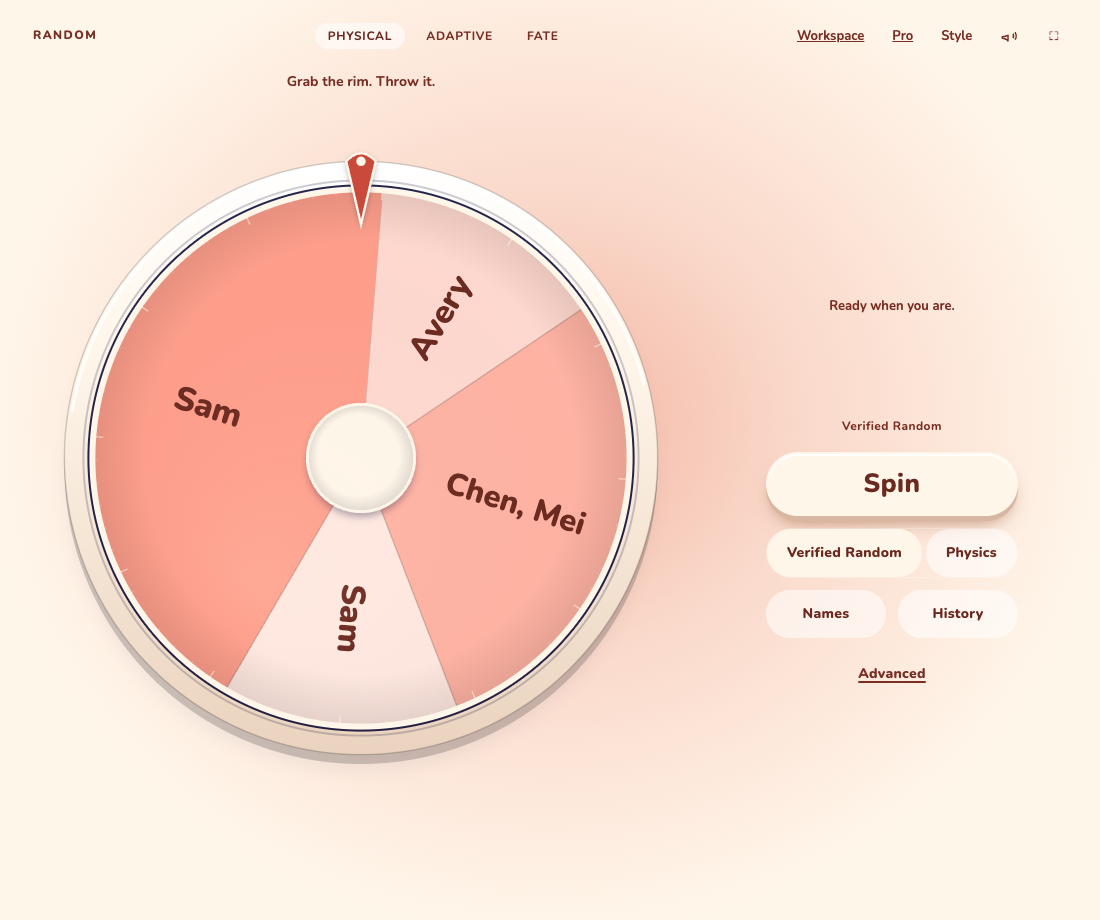
Use a short practice list before a live round. Give each entry a clear name; repeated names are separate tickets. Opening a wheel keeps the list already saved in this browser.
- Open Physical wheel, then Names. The bulk list is already expanded.
- Put one name on each line and choose Replace list. Read the visible entries before continuing.
- Choose Done to return to the wheel.
Choose the rule, then spin
Verified Random chooses a random outcome before the animation. Physics responds to the way you move the wheel and is intended for playful choices. Make the choice before a round so everyone knows what to expect.
- Select Verified Random for a random draw from the current eligible entries.
- Press Spin and wait for the result to settle.
- Read the result beside or below the wheel. Use Remove this round if that entry should sit out; Undo removal brings it back.
Keep something useful
Local saving is convenient, but it is not a second copy. Clearing site data, changing browsers or losing the device can remove that list.
- Open Names and choose Export backup to keep a restorable JSON file.
- After a completed draw, use Save image beside the result to download a shareable picture.
- Use Workspace when you want a reusable project or cloud saving. An account is not required for local play.
Before your first live round
ONE MORE THING
Common questions
Do I need an account to spin?
No. Every wheel mode, fairness preset and the Popsicle style work free without an account. Sign-in is needed for cloud storage; hosted activities require the host to have Pro.
Link to this answerWhy can’t the wheel pick anything?
Wait for an active spin to finish, then check that at least one entry is eligible. Look for removed entries, locks or a temporary Adaptive restriction. Undo an accidental removal or review the rule before trying again.
Link to this answer